
Confirm with your password

⚠ Latest version 1.0.2 references game APIs missing from Steam build 25390671. This package is expected to be broken on that game build.
Show 12 findings
  • SFoY_No_Hunt_Music.dll: Type MusicManager no longer exists in Assembly-CSharp.
  • SFoY_No_Hunt_Music.dll: Type AmbientLayer no longer exists in Assembly-CSharp.
  • SFoY_No_Hunt_Music.dll: Type MusicLayerHunt no longer exists in Assembly-CSharp.
  • SFoY_No_Hunt_Music.dll: Harmony target type AiStateAttackBase no longer exists.
  • SFoY_No_Hunt_Music.dll: Harmony target type AiStateDangerRunShark no longer exists.
  • SFoY_No_Hunt_Music.dll: Harmony target type AiStateGuardHunt no longer exists.
  • SFoY_No_Hunt_Music.dll: Harmony target type AiStateHuntShark no longer exists.
  • SFoY_No_Hunt_Music.dll: Harmony target type AiStatePreAttackBird no longer exists.
  • SFoY_No_Hunt_Music.dll: Harmony target type AiStatePreAttackShark no longer exists.
  • SFoY_No_Hunt_Music.dll: Harmony target type AiStatePreAttackSimple no longer exists.
  • SFoY_No_Hunt_Music.dll: Harmony target type AmbientLayer no longer exists.
  • SFoY_No_Hunt_Music.dll: Harmony target type MusicLayerHunt no longer exists.

SFoY No Hunt Music

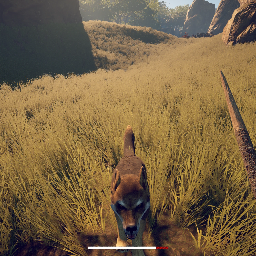
Disables playing the hunt music and battle music when normal animals attack. Disables playing danger zone music.

Client-only Audio Outdated

· Website

Stars
0
Downloads
3
Version
1.0.2
Updated
Author
FiretronP75
Virus scan
✓ Scan successful
Runs on
Client-only

Description

No Hunt Music

Disables playing the hunt music and battle music when normal animals attack. Disables playing danger zone music.

Does not disable boss fight music.

Makes the game a little harder and a little more realistic.


The Config file for this mod is "Survival Fountain of Youth\BepInEx\config\org.firetron.sfoy.nohuntmusic.cfg"


As with every SFoY mod, BepInEx is required. Follow BepInEx's install instructions here: https://docs.bepinex.dev/articles/user_guide/installation/index.html

It is easier than it first appears. You just download the right BepInEx file for you Operating System, unzip it, and place its contents into the game's folder. The "content" is about 4 files plus a BepInEx folder. After copying the content to the game root, you will have the BepInEx folder here: Survival Fountain of Youth\BepInEx

Start the game and exit the game.

Now you have a "plugins" folder under your BepInEx folder: Survival Fountain of Youth\BepInEx\plugins

Download some mod files. Unzip them. Copy the DLL files into "plugins".

Start the game again and exit the game again.

Now you have a "config" folder under your BepInEx folder: Survival Fountain of Youth\BepInEx\config

In the config folder you will find a .cfg file for the mod. You can open it in any text editor and change the mod's options there.

Manual installation instructions
1

Install BepInExPack SFOY

BepInExPack SFOY is required to run mods in Survival: Fountain of Youth.

Download BepInExPack SFOY 5.4.23330 · View mod page

Check out the mod page for detailed installation instructions.

2

Install SFoY No Hunt Music

This mod only needs to be installed on the client.

Download SFoY No Hunt Music 1.0.2

Extract the ZIP and place the file(s) into the BepInEx/plugins/ folder inside your Survival: Fountain of Youth game folder.